What Is Infrastructure As Code or IaC
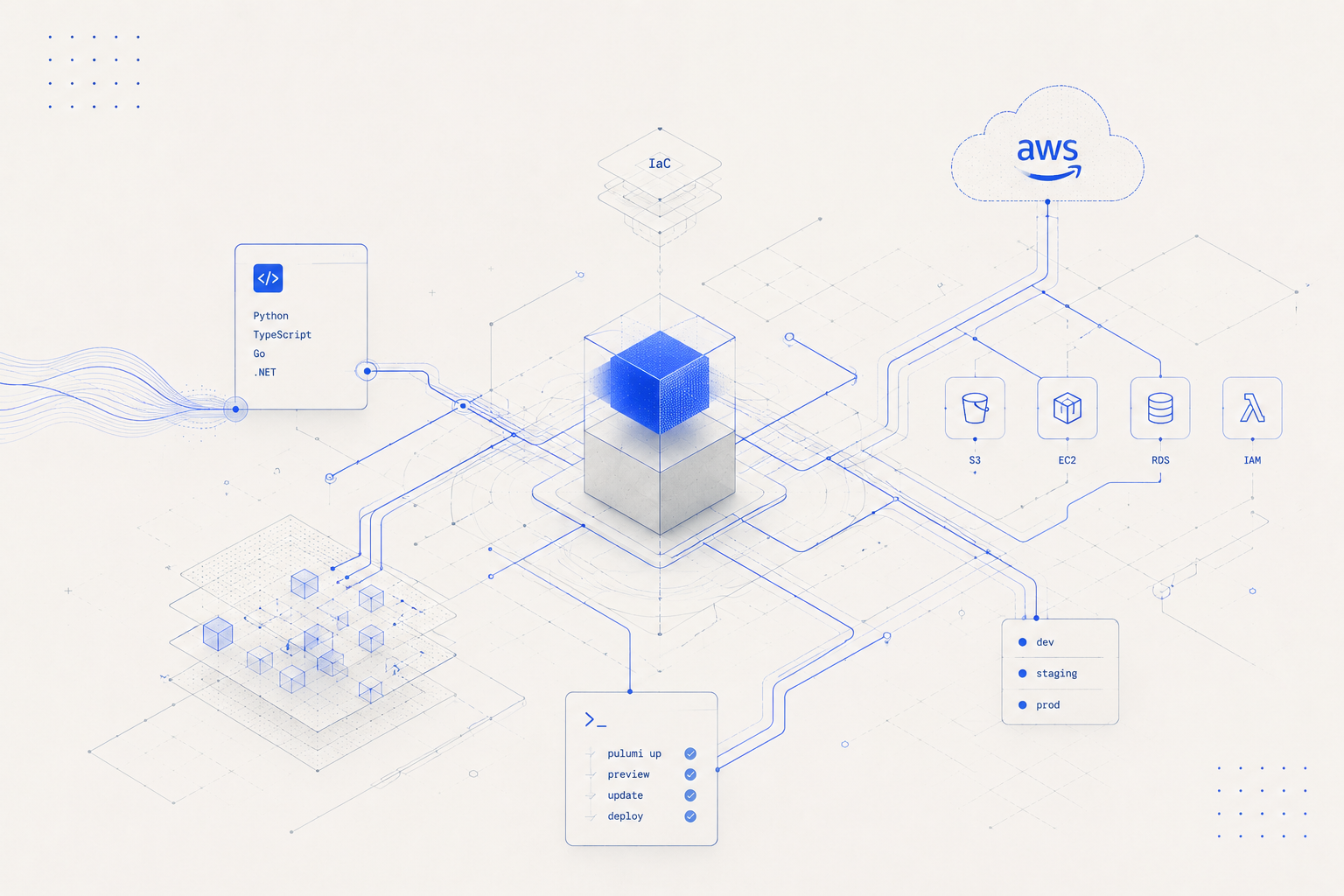
Before we jump into the usage of tool whose purpose is to serve as a universal infrastructure as code solution, we must first understand what exactly is Infrastructure As Code or IaC.
In terms that I understand IaC is a way to manage infrastructure in a more structured and systematic manner. The main advantage I see of going down this path is
It helps keep track of the infrastructure setup we did as part of supporting our application
Helps create environments quicker
Helps keep entire source code not just application specific but infra specific as well in the same place.
The above is my understanding but to get an even more detailed understanding I would recommend checking out the definition Red Hat has posted here
Now that we have formed a bit of understanding let’s have a quick look at some of the most common IaC tools that were used to service this purpose (before Pulumi)
- Terraform
- AWS CloudFormation
- Chef
- Puppet
- Saltstack
Amongst all this I have worked with the most common providers like Terraform and AWS Cloud formation and both of them have served the purpose they were build for quite well. Obviously terraform is a major player in this space and is highly extensible and most widely solution for managing infrastructure as code.
Why Pulumi?
Now the question if terraform is so great why did I had the urge to explore Pulumi? Well, there are a few reasons as to why I tried out Pulumi
- My love for open-source tools technologies
- Pulumi is widely loved by the community with around 13.9k stargazers on the repository at the time of writing is no mean feat.
- Staying up to date with new technologies getting listed every other day.
- Pulumi is amongst the top 10 choices for IaC these days
- But what really stood out for me was, I don't have to learn a new language (even though terraform documentation is amazing and you can find answer to anything easily theree) but even just the feeling that I can just simply write code in Python or Typescript and it will create infrastructure for me was definitely the most appealing thing.
- There documentation is quite well written and I love products which are well documented.
- Personal favourite being Stripe Docs
Learning Through Example
As I personally the best way to explore a new technology or a tool is by giving it a try, let’s try Pulumi. For this example I would be using the following
Environment Setup
- Setup a new account at Pulumi. It is free for individual users
- You need to do this because Pulumi CLI works in tandem with Pulumi service as explained on Pulumi docs
- Also generate a new token here as this token would be required by the CLI
- Python as my programming language
- Pulumi supports all the common language along with its own Pulumi Yaml
- Pulumi supports the big 3 cloud providers i.e. AWS, GCP and Azure but for this tutorial I will be using AWS
- Also make sure you have setup your AWS credentials under
/.aws/credentials or have exported the key and secret as environment variables - You can use any IDE of choice but I will be using PyCharm for creating this small application
- I have mac, so installation commands would be mentioned keeping Mac as the choice of OS.
Project Setup
Description: As part of this project setup we are going to create a simple s3 bucket and attach some policies to it, later as part of other series we might explore a more complicated setup around creating an api gateway with the lambda function.
Now that the environment pre-requisites setup is done, let us get into setting up the project pre-requisites
- I will start by first setting up a basic repository, so that I can commit my code in it
- Once that is done, simply clone the repo
git clone git@github.com:Techwondoe/pulumi.git
- Next I will install Pulumi CLI using brew
brew install pulumi/tap/pulumi
- Once the cli is installed run a simple command to make sure your installation was fine. I usually run a version check
pulumi --version
- To create a new project with Pulumi you need to simply run
Make sure the directory is empty in which you run the following command or else pulumi cli fails
pulumi new aws-python
- Where
aws-python is the template combination we are going with- If this is a first time setup of a project using Pulumi you would be prompted to input the token you created earlier
- After hitting enter you would be prompted to input some information around your project, you can choose to however just go with the default suggestions by pulumi
- I really like the suggestions made by the tool, so I went with those with the only change I made was around selecting
ap-southeast-2 as my region.
- Once I submitted the above, Pulumi created a virtual environment and installed all required dependencies as part of it.
- As for the folder structure this what Pulumi created, (where app is the project name I went with)
app
│ README.md
└───venv
│ └─── bin
│ └─── lib
│ │ ...
│ requirements.txt
│ __main.py__
│ Pulumi.dev.yaml
│ Pulumi.yaml
Create My Bucket
- If you open
__main__.py you would a small sample code has already been created for us, which basically by the looks of it would create our bucket
"""An AWS Python Pulumi program"""
import pulumi from pulumi_aws import s3
# Create an AWS resource (S3 Bucket) bucket = s3.Bucket('my-bucket')
# Export the name of the bucket pulumi.export('bucket_name', bucket.id)
- What we are basically doing is, we are creating a S3 bucket and we are exporting the bucket name.
- This operation is similar to
terraform apply and terraform output - Anyway before we go into applying the above, lets make some more changes as the above is quite basic
- After making some minor tweaks this is how my bucket looks like
# Create an AWS resource (S3 Bucket) https://www.pulumi.com/registry/packages/aws/api-docs/s3/bucket/ bucket = s3.Bucket(resource_name='techwondoe-public-bucket', acl=s3.CannedAcl.PUBLIC_READ,
versioning=s3.BucketVersioningArgs(enabled=True))
- Now let’s go a step ahead and create and attach a
public read policy to our bucket- First let’s define how the policy looks like
def public_read_policy_for_bucket(bucket_name: str): return json.dumps({ "Version": "2012-10-17", "Statement": [{ "Effect": "Allow", "Principal": "*", "Action": [ "s3:GetObject" ],
"Resource": [ f"arn:aws:s3:::{bucket_name}/*", ]
}]
})
- Now to attach the policy to the bucket, we simply have to use the
BucketPolicy function defined under s3 resource of pulumi_aws
bucket_name = bucket.id bucket_policy = s3.BucketPolicy(resource_name='bucket-policy', bucket=bucket_name,
policy=bucket_name.apply(public_read_policy_for_bucket))
- Ok now that we have the setup ready, we need to deploy the stack. So run the following command
pulumi up
- The above command will give out an output something like this. This is the equivalent of
terraform plan
Previewing update (dev)
View Live: https://app.pulumi.com/utsav_sharma/app/dev/previews/486d2313-abdb-4dff-900e-385e6795674e
Type Name Plan
+ pulumi:pulumi:Stack app-dev create
+ ├─ aws:s3:Bucket techwondoe-public-bucket create
+ └─ aws:s3:BucketPolicy bucket-policy create
Outputs:
bucket_name: output<string>
Resources:
+ 3 to create
Do you want to perform this update? [Use arrows to move, enter to select, type to filter]
yes
> no details
- You can click on
details to get a more detailed plan output. In this instance I will just apply the changes - Once applied you can either login to pulumi to check the stack update progress and eventually you will see an output like this
Updating (dev)
View Live: https://app.pulumi.com/utsav_sharma/app/dev/updates/1
Type Name Status
+ pulumi:pulumi:Stack app-dev created (4s)
+ ├─ aws:s3:Bucket techwondoe-public-bucket created (3s)
+ └─ aws:s3:BucketPolicy bucket-policy created (0.70s)
Outputs:
bucket_name: "techwondoe-public-bucket-8b455af"
Resources:
+ 3 created
Duration: 7s
- Once this is done, you can logon to AWS and Voila! you will see the bucket created and the policy applied //TODO: Add Image
- Once you are done with all the above and you wish to decommission your infrastructure, you can just run
pulumi destroy
- This will result in an output similar to this
Destroying (dev)
View Live: https://app.pulumi.com/utsav_sharma/app/dev/updates/3
Type Name Status
- pulumi:pulumi:Stack app-dev deleted
- ├─ aws:s3:BucketPolicy bucket-policy deleted (1s)
- └─ aws:s3:Bucket techwondoe-public-bucket deleted (0.62s)
Outputs:
- bucket_name: "techwondoe-public-bucket-8b455af"
Resources:
- 3 deleted
Duration: 4s
- If you wish too you can delete the stack too with the following command
pulumi stack rm
Conclusion
This brings us end to a quick intro around Pulumi, it definitely is something I am super keen to explore further. The first impression has been really good and I feel like this tool is here to stay. Having said that in the next blog I would further go and explore it a bit more as I do have so impeding questions like
- How is the state maintained
- How to switch between multiple environments
- How to manage global vs environment infrastructure
And we want also look into a bit more complicated example around setting up an API with Lambda and Api Gateway. But this is all for now.

Key Takeaways
The essentials, distilled.